
By the Ayanex Team | Digital Marketing Agency in Plano, TX
Your website is often the first and sometimes only, impression a potential customer forms of your business. Research on first impressions shows that 94% of the time, people judge a website by its design before they judge anything else, and a meaningful share of visitors will leave a site outright if the design feels untrustworthy or hard to use. That means a poorly designed website isn’t just an aesthetic problem, it’s a direct hit to your leads, sales, and revenue.
At Ayanex, we redesign and audit websites for small businesses across Plano and the greater Dallas–Fort Worth area every week, and the same handful of mistakes show up again and again, on sites that otherwise have great products and services behind them. Here are the 10 most common website design mistakes costing you customers, and exactly how to fix each one.
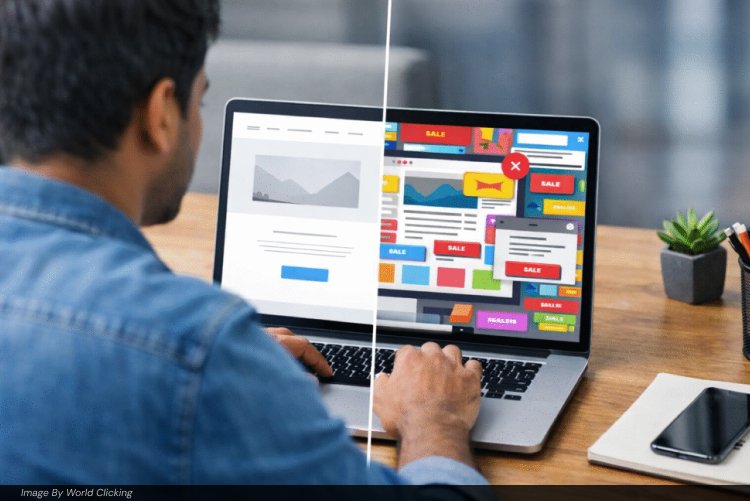
1. Slow Page Load Speed
Visitors form an opinion about your website in a fraction of a second, and most won’t wait around for a slow page to finish loading, many abandon a site that takes more than a few seconds to load. Beyond the user experience hit, page speed is also a confirmed Google ranking factor, so a slow site actively works against your SEO.
How to fix it:
- Compress and optimize images (use modern formats like WebP)
- Use a Content Delivery Network (CDN) to serve content faster globally
- Minimize unnecessary scripts, plugins, and redirects
- Choose reliable, fast hosting
2. Cluttered Layouts and Missing Visual Hierarchy
Most visitors don’t read a webpage top to bottom, they skim it. Without a clear visual hierarchy, users can’t quickly find what they need, and they leave. An overcrowded page with too many competing elements can tank conversions dramatically compared to a clean, focused layout.
How to fix it:
- Organize content based on natural reading patterns (F-pattern or Z-pattern)
- Use white space generously, it’s not wasted space, it’s what makes your key content stand out
- Prioritize the most important content and actions above the fold
- Keep navigation menus simple and avoid deep, nested dropdowns
3. Non-Responsive, Non-Mobile-Friendly Design
More than half of all web traffic now comes from mobile devices. If your site doesn’t adapt cleanly to phones and tablets, text too small, buttons too close together, content spilling off-screen, you’re alienating the majority of your potential audience before they even see what you offer. Google also factors mobile-friendliness directly into search rankings.
How to fix it:
- Use a responsive design framework or theme that adapts to any screen size
- Prioritize touch-friendly elements: bigger buttons, simple forms, easy scrolling
- Test your site on multiple real devices, not just a browser’s resize tool
If your current site was built years ago and hasn’t been rebuilt for mobile-first browsing, it may be time for a full website redesign rather than a patch job.
4. Weak or Generic Calls-to-Action (CTAs)
A vague CTA like “Learn More” or “Click Here” gives visitors no reason to act and no clarity on what happens next. Personalized, specific CTAs convert dramatically better than one-size-fits-all buttons, because they tell the visitor exactly what they’re getting.
How to fix it:
- Use action-driven, specific language: “Get a Free Quote” instead of “Learn More”
- Make CTA buttons visually distinct with contrasting colors
- Place CTAs at multiple points on longer pages, not just the bottom
- Test different CTA placements and wording to see what actually converts

5. Intrusive Pop-Ups and Auto-Play Media
A full-screen pop-up the instant someone lands on your page, or a video that auto-plays with sound, is one of the fastest ways to drive a new visitor away. It disrupts the experience before they’ve even had a chance to see what you offer.
How to fix it:
- Use exit-intent pop-ups instead of immediate ones
- Make sure any pop-up offers real value (a discount, a useful guide)
- Never auto-play video or audio without giving users control to pause or mute
6. Generic Stock Photography
Visitors can spot generic stock photography instantly, and it quietly signals that a business hasn’t invested in its own brand. Real, original images of your team, product, or space build far more trust and authenticity than a smiling model at a laptop that appears on a thousand other websites.
How to fix it:
- Invest in original photography of your actual team, storefront, or product
- If stock imagery is unavoidable, choose less common, more natural-looking options
- Feature real customer photos or testimonials where possible
7. Inconsistent Branding
If your fonts, colors, and logo placement shift from page to page, visitors struggle to recognize and trust your brand, even if each individual page looks fine on its own. Consistency builds the subconscious sense of professionalism that makes people comfortable buying from you.
How to fix it:
- Create (and follow) a simple brand style guide covering fonts, colors, and logo usage
- Use the same color palette and typography across every page
- Stick to one primary font for headlines and one secondary font for body text
8. Poor Readability
Low-contrast text, tiny fonts, or overly decorative typefaces make content genuinely hard to read, and hard-to-read content gets abandoned, no matter how good the writing is underneath it. The general rule of thumb is a minimum of 16px for body text, with generous line spacing.
How to fix it:
- Choose screen-friendly fonts (clean sans-serif or serif options)
- Use at least 16px font size for body copy, larger for headings
- Increase line spacing to roughly 130–150% of font size for easier reading
- Ensure strong contrast between text and background colors
9. Neglecting Accessibility
Accessibility is frequently the most overlooked item on this list, and it excludes a meaningful share of potential customers. Visitors with visual impairments, mobility limitations, or other disabilities will leave an inaccessible site almost immediately rather than fight through it.
How to fix it:
- Add descriptive alt text to every meaningful image
- Ensure the entire site is navigable by keyboard, not just mouse or touch
- Provide captions for video content
- Check color contrast ratios to ensure text remains legible for all users
10. Ignoring SEO in the Design Process
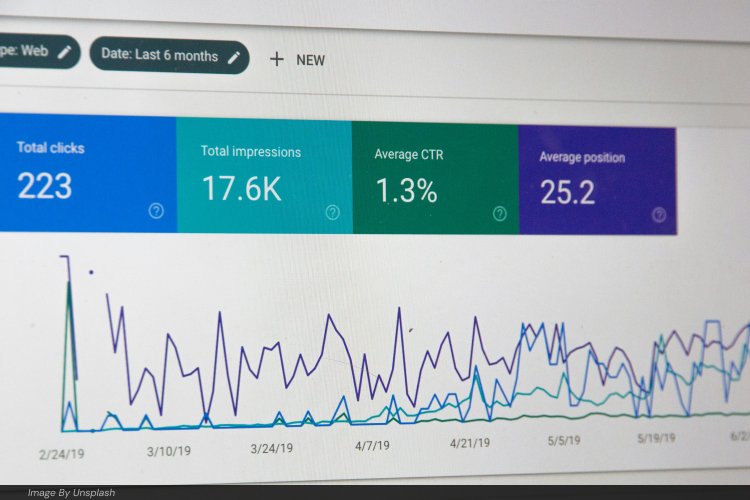
A beautifully designed website that search engines can’t properly crawl or understand is still invisible to most of your potential customers, the vast majority of users never click past the first page of search results. Common issues we see include messy URL structures, broken links left over from old redesigns, missing sitemaps, and pages built without any heading structure for Google to parse.
How to fix it:
- Use clean, keyword-rich URLs instead of long strings of parameters
- Structure content with proper heading tags (H1, H2, H3) in logical order
- Regularly audit for and fix broken links or 404 errors using a tool like Google Search Console
- Submit an updated sitemap to help search engines crawl your site efficiently
- Customize your 404 error page to redirect lost visitors rather than losing them entirely
Design and SEO shouldn’t be separate conversations, they need to happen together from the start. Our SEO services team works directly alongside web design to make sure a beautiful new site is actually built to be found on Google, not just admired once visitors already arrive.
Our Take: The Pattern We See Most Often
After auditing dozens of small business websites across Plano and the DFW metro, a few things stand out beyond the standard list:
- Redesigns often fix aesthetics but skip the fundamentals. A business will invest in a gorgeous new homepage but leave the same slow hosting, broken internal links, and missing alt text in place, solving the visible problem while leaving the invisible ones that actually cost conversions.
- Mobile is treated as an afterthought, not the primary experience. Given that most local searches, “web design agency near me,” “best web developer Plano TX”, happen on a phone, your mobile experience should be the first thing you design, not the last thing you test.
- CTAs get weaker as sites get older. Businesses launch with a strong, specific CTA and quietly water it down to generic “Contact Us” language over a few years of small edits. It’s worth revisiting your CTAs at least once a year.
- Local businesses forget local trust signals. For a business serving a specific city or region, a visible local address, local phone number, and real photos of your actual location do more for trust and local SEO than almost any design polish.
Website Design Checklist Recap
- Optimize page speed and hosting performance
- Simplify layout with clear visual hierarchy and white space
- Confirm your site is fully responsive and mobile-friendly
- Use specific, action-driven CTAs, not generic buttons
- Remove intrusive pop-ups and auto-playing media
- Replace generic stock photos with real, original imagery
- Keep branding (fonts, colors, logo) fully consistent site-wide
- Improve readability with proper font size, spacing, and contrast
- Build in accessibility from the start, not as an afterthought
- Bake SEO into the design process, not after launch
Final Thoughts
A website isn’t just a digital brochure, it’s one of your hardest-working sales tools, and small design mistakes compound quickly into lost leads and lost revenue. The good news is that none of the fixes above require reinventing your entire site; most come down to consistent, deliberate attention to speed, clarity, and trust.
If your current website is showing any of these warning signs, Ayanex offers full website design and development services for small businesses across Plano, Dallas–Fort Worth, and beyond, built with both user experience and SEO in mind from day one. Get a free website audit and we’ll show you exactly which of these mistakes might be costing you customers right now.
Explore more digital marketing guides on the Ayanex blog.
Sources referenced: Yeeply – The 10 Most Common Web Design Errors You Can Avoid · Eclick Softwares – Avoid 10 Website Design Mistakes to Instantly Improve User Experience · Enstacked – Top 10 Mistakes in Web Design That Are Costing You Users
FAQs: Fixing Common Website Design Mistakes
Is your website driving customers away? See the 10 most common design mistakes and simple fixes, from the web design experts at Ayanex.
Slow page load speed and non-mobile-friendly design are the two most common, and most costly, mistakes. Since more than half of all web traffic comes from mobile devices, a site that isn’t responsive immediately alienates the majority of potential visitors, and slow-loading pages cause both users and Google to abandon or deprioritize the site.
How do I know if my website design is losing me customers?
Warning signs include a high bounce rate, low time-on-site, few conversions despite steady traffic, and negative feedback about site speed or navigation. Running your site through Google’s Mobile-Friendly Test and PageSpeed Insights, or getting a professional website audit, can quickly surface which of these 10 mistakes apply to you.
Does website design actually affect SEO rankings?
Yes. Google factors in page speed, mobile-friendliness, and site structure (clean URLs, proper headings, working links) as direct ranking signals. A beautifully designed site that’s slow or poorly structured can still rank lower than a simpler, well-optimized competitor.
How often should I redesign or audit my website?
There’s no fixed timeline, but a full audit once a year, and a redesign every 3–5 years, is a reasonable baseline. Design trends, browser standards, and user expectations shift faster than most businesses realize, and small issues (like weakening CTAs or outdated imagery) tend to creep in gradually between major redesigns.
Can I fix these website design mistakes myself, or do I need a professional?
Smaller fixes, compressing images, tightening CTA language, fixing broken links, are often manageable in-house. But structural issues like non-responsive design, poor accessibility, or SEO-unfriendly architecture usually require a developer or design agency to fix properly without breaking other parts of the site.